Exporting or deleting your data
What's self-service today, what happens on each path, and where to go if something isn't self-service yet.
Last updated
If you're an organization administrator
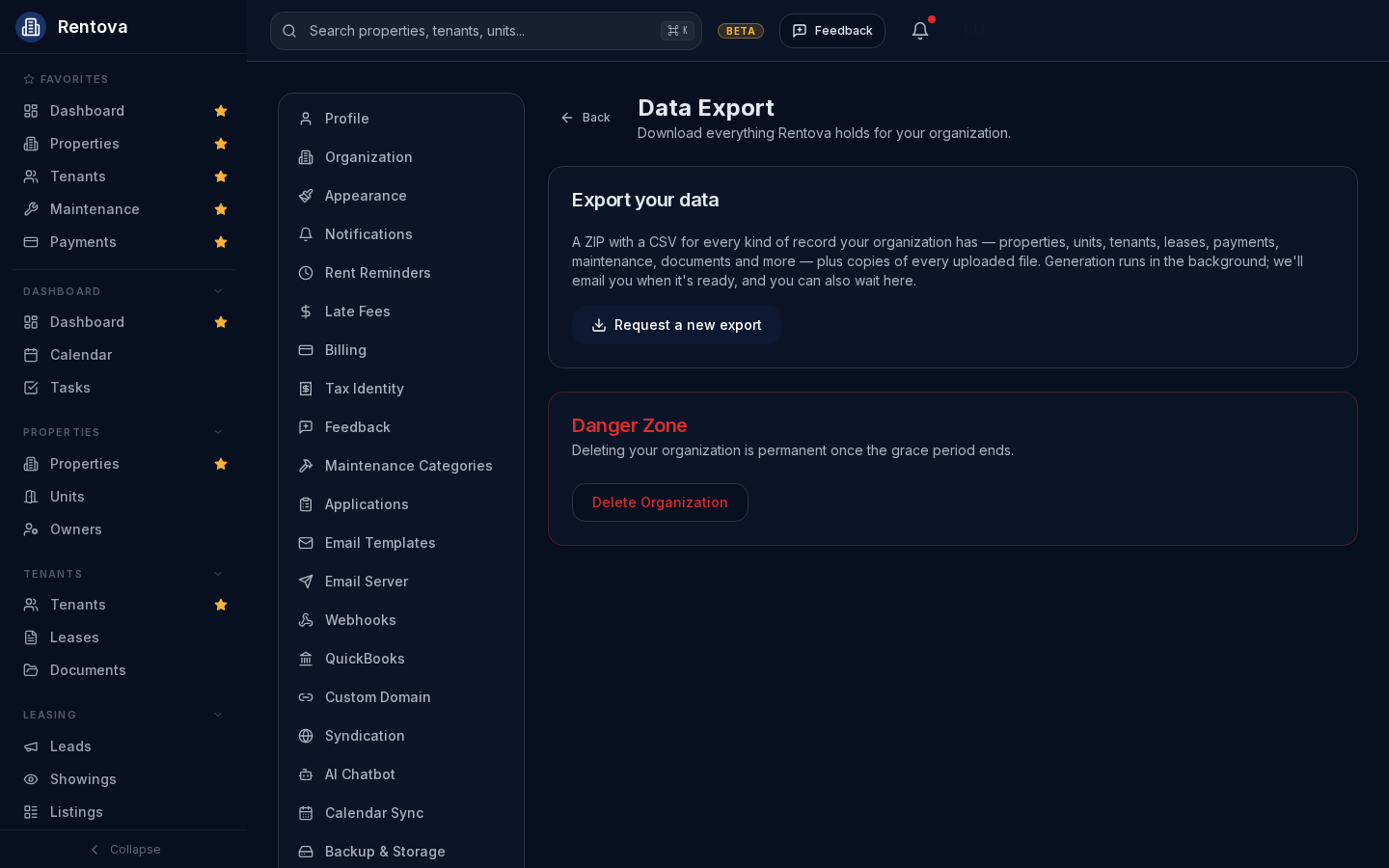
From Settings → Data & Deletion, you can request a ZIP export of everything your organization holds — properties, units, tenants, leases, payments, maintenance, documents and more, plus copies of every uploaded file. Generation runs in the background; you'll get an email when it's ready, and the page also updates on its own while you wait. A download link stays valid for 7 days.
The same page has a Danger Zone for deleting the organization entirely. Deletion requires typing the organization's exact name and confirming your password, and starts a 14-day grace period during which everything keeps working normally and you can cancel at any time. After that, the organization stops working and a further 90-day retention window passes before the data is permanently and irreversibly purged.
If you're a staff member deleting your own account
Separately from deleting the whole organization, any staff member — not just an administrator — can delete their own individual account from Settings → Profile, in its own Danger Zone. It's the same 14-day grace period, cancel-any-time-before-it-ends pattern: after the grace period your account is deactivated, and your personal information is permanently removed 90 days after that. Your organization's own records — leases, payments, messages and the like — are not deleted by this; only your personal account is affected.
If you're the organization's only Administrator, this is blocked until you either transfer administrator access to someone else or delete the organization itself instead (see above) — otherwise the organization would be left with nobody able to manage it.
If you're a tenant
Deleting your own account is available today from the mobile app: open your profile and use the Danger Zone. It follows the same pattern as an organization deletion — a 14-day grace period you can cancel during, followed by a 90-day window before your personal information is permanently removed. This isn't in the web tenant portal yet.
Exporting your own data as a tenant isn't available as a button anywhere yet — web or mobile. If you'd like a copy of your data, contact support and we'll help you get one while we finish building the self-service version.
If you're an owner or a vendor
There's no self-service export or account deletion for owners or vendors yet. Contact support, or ask your property manager's administrator — their organization-wide export includes everything the organization holds about you, and they can also request deletion of the organization itself if that's what you're asking about.
What the grace period actually means